
Apple's second developer beta for iOS 27 just landed — and beneath the surface-level polish lies a roadmap that every iOS developer and app marketer should be studying right now.
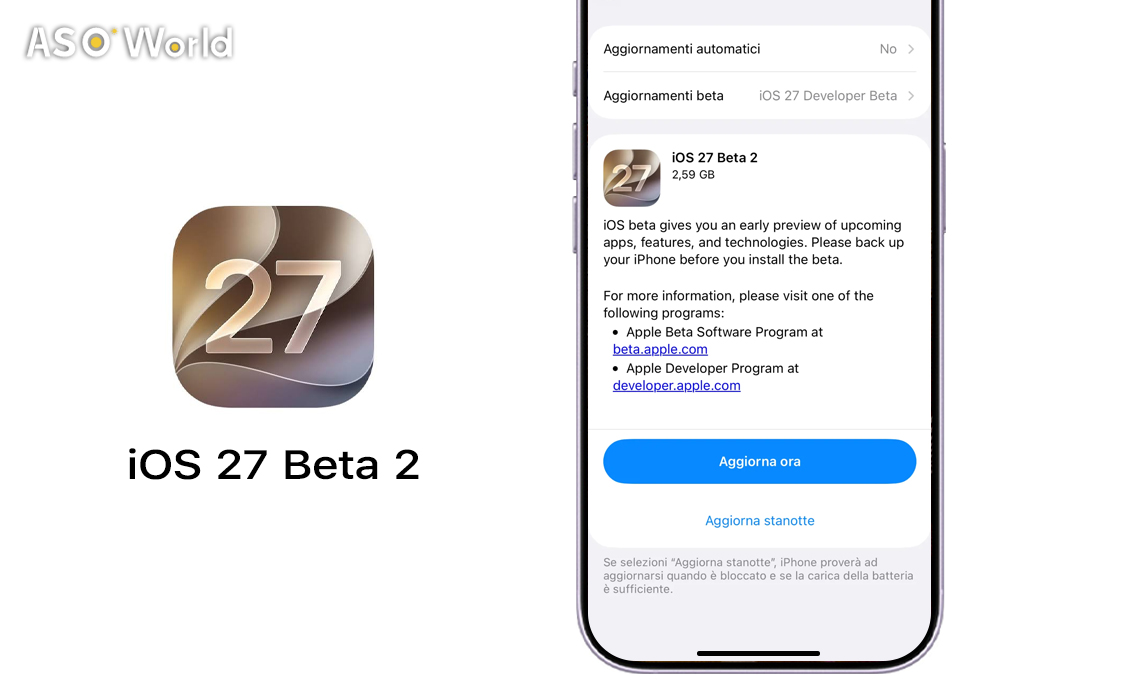
On June 22, 2026, Apple seeded iOS 27 Beta 2 (build 24A5370h) to registered developers, two weeks after the OS made its debut at WWDC 2026. The public beta is expected in July, with the full release slated for September alongside the new iPhone lineup.
But this isn't just another "bug fixes and stability" update. Beta 2 delivers tangible feature shifts — from a reimagined Siri writing experience to RCS messaging upgrades that directly affect how your app communicates with the outside world. If you build for iOS or market apps on the App Store, here's what you need to know, what to test, and where the opportunities are hiding.
1. "Write with Siri" Replaces Writing Tools — Your App's Text Input UX Just Got a Rethink
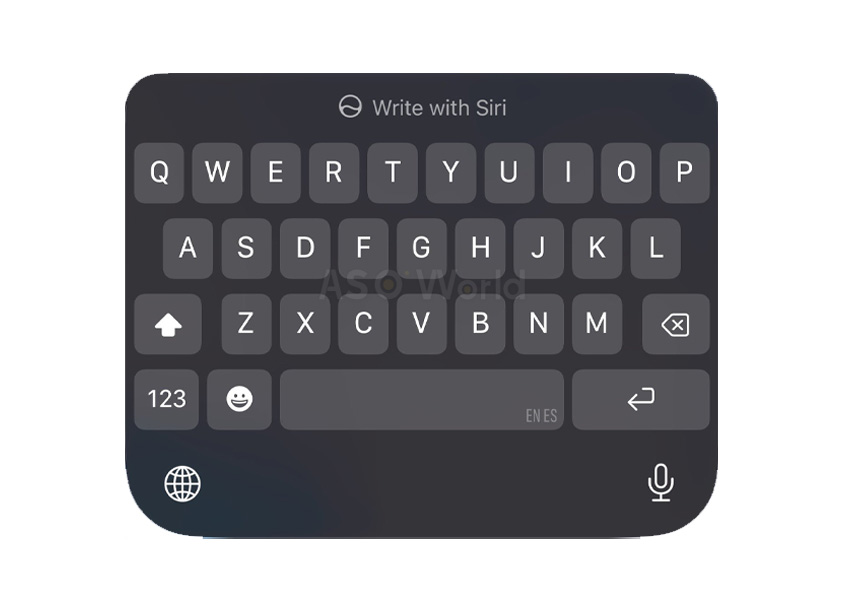
image: Apple
The headline change in Beta 2: Apple has rolled out "Write with Siri" as a full replacement for the old AI-powered Writing Tools prompt. A large prompt reading "Write with Siri" now appears above the keyboard before you start typing in apps like Notes, Mail, and Messages. If you begin typing without invoking Siri, the prompt shrinks to just the Siri icon.
Why developers should care: This signals a fundamental shift in how Apple envisions text input across the OS. If you're building any app with a text field — messaging apps, note-taking tools, email clients, social platforms — you need to test how your UI interacts with this new Siri prompt. Does your custom keyboard extension still behave correctly? Does your app's inline text editing conflict with the Write with Siri overlay? These are the edge cases that generate negative reviews during launch week.
Marketing angle: If your app's value proposition involves writing, content creation, or productivity, now is the time to update your App Store screenshots and description to highlight compatibility with the new Siri-powered writing experience. Apps that lean into Apple Intelligence integration are likely to get a visibility boost in editorial features.
2. RCS Gets Real: Inline Replies and Reactions Change the Messaging Game
iOS 27 Beta 2 introduces inline replies and tapback reactions for RCS conversations — the cross-platform messaging protocol that bridges iPhone and Android users. You can now long-press an RCS message to reply to it specifically, and emoji reactions display properly on images and videos instead of falling back to text descriptors like "[x loved an image]."
Why developers should care: If your app integrates with the Messages framework or relies on rich communication features, the RCS upgrade expands what's technically possible in cross-platform conversations. The Messages app overhaul in iOS 27 also brings Siri-powered cross-thread search, context-aware suggestions, and background continuity for failed sends — features that set a new baseline for what users expect from any messaging experience.
Marketing angle: Messaging and social apps should update their "What's New" text and marketing materials to emphasize RCS compatibility. Search interest for "new iPhone update messages" spiked over 1,000% in June 2026 according to Google Trends data — riding this keyword wave in your ASO strategy is a no-brainer.
3. Siri AI Performance Gets a Noticeable Speed Boost
Multiple testers report that Siri AI feels significantly faster in Beta 2 compared to Beta 1. The response latency for complex, multi-step queries has been reduced, and the overall conversational flow feels more natural.
Additionally, Siri's Expressive Voice Preview now shows "Pace" and "Expressivity" options labeled as "Coming Soon" — these didn't function at all in the first beta.
Why developers should care: If your app uses SiriKit or App Intents for voice-driven interactions, the performance improvements mean your Siri integrations will feel snappier to end users. This is the moment to audit your App Intent definitions, test edge cases, and make sure your voice shortcuts work flawlessly with the improved Siri engine. Apps with broken or slow Siri integrations will stand out — in the worst way — when iOS 27 hits the general public.
4. Wallet Insights Opens Doors for Fintech App Marketers
The Wallet app gains a new "Insights" feature in Beta 2, accessible via the three-dot menu icon. The feature promises spending insights, recurring transaction tracking, and account balance monitoring — all processed through an Apple-owned subsidiary that fetches and standardizes financial data without storing user information.
While the feature isn't fully functional in Beta 2 yet, the splash screen confirms the direction: Apple is building a financial dashboard directly into the OS.
Why developers should care: Fintech and banking app developers should be studying how Wallet Insights interacts with existing financial data APIs. If Apple's native solution covers basic spending tracking, your app needs to offer demonstrably more value — deeper analytics, investment integration, budgeting tools, or superior UX — to justify its place on the user's home screen.
Marketing angle: This is a competitive threat and an opportunity. Position your fintech app's messaging around what Wallet Insights can't do. "Go beyond basic tracking" is the kind of narrative that converts users who are comparing your app to Apple's built-in offering.
5. iPhone Mirroring Stability Fixes — A Signal for Cross-Platform App Strategies
Beta 2 resolves several crash issues with iPhone Mirroring between iOS 27 and macOS 27 Golden Gate. Resizing apps and the automatic return to iPhone screen dimensions now work more reliably, though testers note it's still a work in progress.
Why developers should care: iPhone Mirroring is Apple's play for deeper ecosystem lock-in. Apps that support Continuity features — Handoff, Universal Clipboard, Sidecar — will benefit from a more stable mirroring experience. If your app workflow involves switching between iPhone and Mac, test extensively in Beta 2 and flag any state restoration bugs before the September launch.
6. Home App Gains Apple TV Remote Updates — Smart Home App Implications
The Home app can now remotely update an Apple TV 4K directly from the Updates section, the same way it handles HomePod firmware. No need to turn on the TV or navigate its settings.
Why developers should care: Smart home and home automation app developers should note that Apple is tightening its control over the home device management experience. If your app competes with or complements the Home app, the bar for convenience just went up. Users who can update all their home devices from one screen in the native app will be less tolerant of fragmented experiences in third-party alternatives.
7. AirPort Utility Gets the Axe — Legacy App Lessons for Developers
Apple confirmed that AirPort Utility will no longer be available for new downloads from the App Store with iOS 27. Existing users can re-download it, but Apple warns that "functionality is not guaranteed" on iOS 27 and later.
The takeaway: Apple is pruning legacy utilities that no longer serve its hardware ecosystem. If you maintain an app that depends on deprecated hardware or aging APIs, iOS 27's release cycle is your warning shot. Plan your migration path now — whether that's refactoring for new APIs, pivoting your feature set, or sunsetting the app gracefully with proper user communication.
The iOS 27 Beta 2 Timeline: What to Expect Next
| Milestone | Expected Date | Action Item |
|---|---|---|
| Beta 2 (Current) | June 22, 2026 | Begin testing your apps. File bug reports via Feedback Assistant. |
| Public Beta | July 2026 | Wider testing pool means more user-reported issues. Monitor forums and beta communities. |
| Subsequent Betas | July – August 2026 | Iterate on fixes. Update your App Store metadata and screenshots. |
| GM / Official Release | September 2026 | Full launch alongside new iPhone lineup. Have your Day 1 update ready. |
What This Means for Your ASO and App Marketing Strategy
iOS 27 isn't just a software update — it's a marketing event. Every major WWDC cycle creates a surge in search traffic for iOS-related keywords, and Beta 2 keeps that momentum alive heading into the public beta window.
Here's how to capitalize:
- Update your App Store keywords to include iOS 27-related terms: "iOS 27 compatible," "Apple Intelligence," "Siri AI," "RCS messaging."
- Refresh your screenshots and preview videos to show your app running on iOS 27 with Liquid Glass UI elements.
- Publish a "What's New" update highlighting iOS 27 compatibility — this signals to both the App Store algorithm and potential users that your app is actively maintained.
- Create content around iOS 27 features that relate to your app's category. A messaging app blog post about RCS improvements, a fintech piece about Wallet Insights — these capture search traffic from users actively researching the new OS.
- Monitor competitor moves. The apps that update first and most visibly for new iOS releases tend to capture disproportionate attention during the upgrade cycle.
Final Word: The Beta 2 Window Is Your Testing Window
iOS 27 Beta 2 is notably more stable than most developer betas at this stage — testers describe it as feeling "much further along" than typical second betas. But that doesn't mean it's safe for daily driving. Expect bugs, battery drain, and app compatibility issues on your primary device.
What it does mean is that the feature set is largely locked in. The changes you see in Beta 2 — Write with Siri, RCS improvements, Wallet Insights, Siri AI speed — these are the features that will ship in September. Your job as a developer or marketer is to understand them, test against them, and position your app to benefit from the shift.
The September launch window is closer than it looks. Start preparing now.

 Follow Us on Facebook