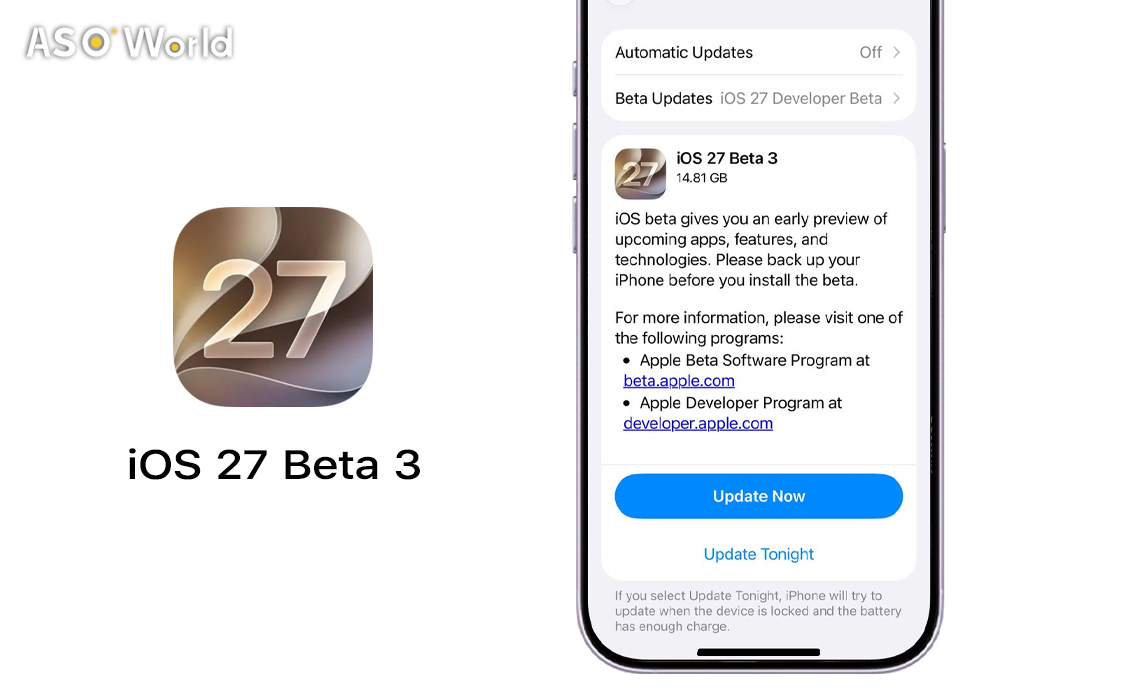

Apple dropped iOS 27 Developer Beta 3 on July 6, 2026 — and it's more than just bug fixes. Build 24A5380h arrives two weeks after Beta 2 and signals that the OS is entering a new phase of its summer testing cycle. Industry observers expect this third beta may become the first public release, opening the update to non-developers through Apple's Beta Software Program. That means the window for developer-exclusive preparation is closing fast.
Here's a comprehensive breakdown of what changed, why it matters, and what it signals for app developers and iOS marketers building toward the September 2026 launch.
What's in iOS 27 Beta 3: Feature-by-Feature Breakdown
1. Siri Voice Customization — Now Actually Working
The headline addition in Beta 3 is Siri voice personalization finally going live. The customization option existed in prior betas but was not active — it's now usable, letting users adjust the pace and expressivity of Siri's voice with two base voice options available.
There's an important hardware caveat: this feature requires an iPhone 17 Pro or iPhone Air because it relies on on-device processing. Apple Watch also gains the new Siri in this beta, extending the enhanced assistant experience beyond iPhone for the first time in the iOS 27 cycle.
2. Live Recognition — Accessibility Becomes an AI Interface
Beta 3 introduces a new Live Recognition section under Accessibility settings. The feature uses on-device intelligence to detect and describe objects around the user via the camera, can answer questions about what it sees, supports a configurable default question, and allows custom activity definitions.
3. Wallpaper Parallax — The Detail Users Will Notice First
When a user swipes down into Notification Center, a cutout of the wallpaper subject now floats above the Home Screen or active app in a smooth parallax animation. Developer Aaron Perris shared footage on X, calling the animation "so smooth."
4. Photos: Star Ratings on Thumbnails
A new Show Rating Controls toggle in Settings → Photos displays star ratings directly on photo and video thumbnails in the library view — making ratings a first-class organizational tool rather than a buried setting.
5. Shortcuts: A More Intentional Creation Flow
Users can now choose whether to open the AI-assisted Describe a Shortcut interface or the traditional manual Shortcuts editor when creating a new shortcut. This UX split reflects Apple's effort to serve both AI-first and power-user workflows in the same app.
Developer signal: If your app contributes actions to Shortcuts via App Intents, ensure your intent titles and descriptions are natural-language friendly — they'll now need to surface correctly in the AI-assisted flow, not just keyword matching in the manual editor.
6. Control Center: Cellular Details While on Wi-Fi
Control Center now surfaces cellular connection details — signal strength and LTE/5G indicator — even when the device is connected to Wi-Fi, giving users persistent awareness of their mobile network status.
7. AirPods Adaptive Audio: Granular Control
The Adaptive Audio setting on AirPods now uses a slider rather than a toggle, letting users choose a point on a spectrum between full transparency and maximum noise cancellation during playback.
8. Maps Route Preferences — A UI Clarification, Not a Feature Removal
Earlier betas drew user feedback suggesting route customization had disappeared from Maps. Beta 3 adds a tooltip making it clear that route preferences still exist and are accessible by tapping beneath the options interface during active navigation.
Dev cycle note: This is a textbook example of Beta 3's role: the first build where Apple responds to early tester feedback. If your own beta feedback channels are surfacing recurring UX confusion, now is the right time to act before public beta traffic scales the issue.
9. Home App: Apple Intelligence Requires 2TB iCloud+
Apple clarified in Beta 3 that Apple Intelligence features within the Home app require a 2TB iCloud+ plan (available individually or via Apple One Premier). Some outlets initially reported this as 2GB — the correct requirement is the 2TB tier.
10. Lock Screen Icon Contrast Adjustment
Control Center buttons on the Lock Screen now display black icons instead of white icons when certain wallpapers are set, improving legibility across varied background types.
Developer signal: If you're shipping Lock Screen widgets or interactive controls, run legibility tests across a range of wallpaper colors and luminosities in Beta 3 before the public beta expands your tester pool.
11. 5G+ Expansion to India
5G+ is now available in India on supported carriers, extending Apple's high-speed connectivity footprint to one of the world's largest and fastest-growing iPhone markets.
Marketer angle: For apps targeting South Asian markets, 5G availability changes the performance envelope for content delivery, video streaming, real-time features, and background sync. India-specific launch plans should factor in this connectivity upgrade.
12. Critical Bug Fix: Dead Battery Boot Loop Resolved
Beta 3 resolves a significant bug from earlier builds where devices with a deeply discharged battery would get stuck indefinitely on the red dead-battery icon. Previously, testers needed to reboot or physically disconnect and reconnect the charger to recover.
The Bigger Picture: What Beta 3 Signals for the iOS 27 Cycle
The three pillars of iOS 27 remain consistent across all betas: Trust and Safety (expanded parental controls and screen time tools); Performance and Refinement (speed improvements, interface polish, and reliability); and Apple Intelligence and Siri (entirely new AI models and a substantially more capable Siri assistant).
Beta 3's changes — particularly the activation of live Siri voice controls, Live Recognition, and the Apple Intelligence clarifications — suggest Apple has shifted from feature introduction to feature activation. That's a healthy signal: the OS is stabilizing, not expanding. The beta is now primarily about bug fixes, performance improvements, and small refinements across the system.
📅 Timeline to watch:
- July 2026: First public beta expected — potentially this build
- August–September: RC and golden master candidates
- September 2026: Final iOS 27 release, alongside new iPhone lineup
What This Means If You're Testing Your App Right Now
The developer beta period is intended to help app teams learn about OS changes before the final public release. With Beta 3 activating several previously inactive features, here's what to prioritize in your testing workflow:
🧪 iOS 27 Beta 3 — Developer Testing Checklist
- Siri / App Intents: Verify your donated intents behave correctly with the new live voice engine. Compare experiences on iPhone 17 Pro (full feature set) vs. older supported devices.
- Shortcuts compatibility: Confirm your app's contributed actions surface correctly in both the AI-assisted "Describe a Shortcut" flow and the traditional manual editor.
- Photos library access: If your app reads from the system Photos library, confirm your metadata handling correctly processes or ignores the new star rating fields.
- Lock Screen extensions: Test widget and control legibility across multiple wallpaper types — especially high-saturation and dark backgrounds — given the icon color behavior change.
- HomeKit integrations: Update your in-app UX and App Store metadata to clearly indicate which features require Apple Intelligence (2TB iCloud+) vs. those that don't.
- Audio integrations: If your app interacts with AirPods or adjusts for ambient audio, validate behavior against the new adaptive audio slider range.

 Follow Us on Facebook