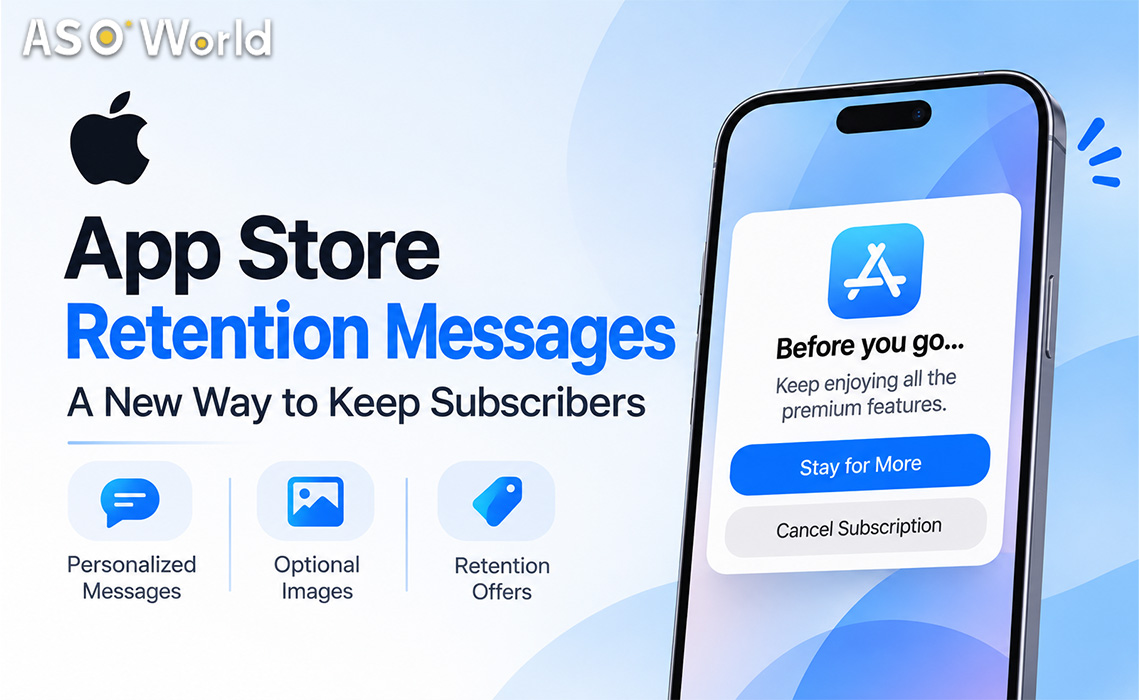

Apple is giving subscription apps a new way to respond when a customer decides to leave. On November 4, 2026, Apple announced that retention messages are now available for auto-renewable subscriptions. When a subscriber starts to cancel, the cancellation flow can show a developer-written message with text, an image or a special offer, reminding them of what they would lose before they confirm.
The feature is controlled through App Store Connect, and Apple has set clear limits on what messages can say. This guide covers how retention messages work, the rules App Review applies, the setup steps and what subscription teams should think about before switching them on.
Key Takeaways
- What it is: Messages shown inside the App Store's subscription cancellation flow, with text, an optional image and optional retention offers.
- Limits: Up to 10 retention messages per app, and each subscription can have only one retention message assigned at a time.
- Offers: Discounts or free periods that appear only through a retention message, with eligibility rules set by the developer.
- Strict copy rules: Message text cannot mention prices, discounts or specific offers, and App Review rejects messages that do.
- Automation: A separate Retention Messaging API lets developers pick which message each subscriber sees. Access is available by request.
What Subscribers Will See
A retention message is made up of required text plus two optional parts, an image and one or more retention offers. What a subscriber sees depends on how the message is set up and whether they qualify for an offer:
| Scenario | What the subscriber sees |
|---|---|
| Text only | Header and body text, with no image or offer |
| Text and image | Shown when an image is added and either no offer is attached or the subscriber is not eligible for it |
| Text and offer | Shown when an offer is attached and the subscriber is eligible, in place of the image |
Apple's own examples describe messages that highlight key features, announce upcoming content or present a promotional offer to encourage a subscriber to stay.
The Rules at a Glance
| Item | Limit or rule |
|---|---|
| Messages per app | Up to 10 |
| Subscriptions per message | Unlimited, but each subscription can have only one active message |
| Retention offers | Up to 10 per subscription billing plan type, and up to all 10 can be tied to one message |
| Image sizes | 3840 × 2160 or 5244 × 2950 pixels |
| Required text | Header and body, with localizations for every storefront where the subscription is sold |
| Who can configure | Account Holder, Admin, App Manager or Marketing roles |
| Review | Messages are submitted to App Review, like other metadata |
Retention Offers: Discounts and Free Periods
A retention offer gives eligible subscribers a discount or a free period as an incentive to stay. Offers are configured at the subscription level and appear to subscribers only through a retention message, so each offer must be attached to a message before anyone can see it. Developers can attach an existing offer to a new or updated message without rebuilding it.
Developers control who qualifies and how often:
- Paid subscription duration: The minimum time a subscriber must have paid before qualifying.
- Wait between offers: How long a subscriber must wait before redeeming the same offer again. This applies to each offer individually, not across the whole subscription.
- Countries and regions: Where the offer is available.
- Pricing model: Pay as you go, pay up front or free, with a price and duration for a default country, then adjusted for other regions.
Each offer needs a reference name and an offer identifier, which cannot be changed after creation. The identifier is used to track sales from the offer in Sales and Trends reports and in StoreKit transactions.
What App Review Allows in Message Copy
Apple's content rules are the most important part of the policy. Because every subscriber sees the header and body text, including people who do not qualify for an offer, the copy must be general. The guidance breaks down like this:
| Allowed | Not allowed |
|---|---|
| Factual statements about what a subscriber loses, such as losing access to downloaded content or premium features when a subscription ends | Any reference to promotional offers, discounts or specific prices, such as "$9.99," "50% off" or "one month free" |
| Highlighting key features or announcing upcoming content | Claims that coerce subscribers, or that guarantee outcomes that cannot be verified, such as saying that cancelling a VPN will lead to a virus infection |
| Clear, direct copy with standard capitalisation and punctuation | Excessive emphasis such as all caps or repeated exclamation marks |
| Accurate, relevant content that meets the App Review Guidelines | Unverified superlatives or statistics, such as "the best app" or an unsupported "92% of parents report improved learning," which Apple strongly discourages |
Offer details belong in the retention offer itself, not in the text. App Review rejects messages that mention pricing or offers in the header or body.
How to Set One Up
- Create the message. In App Store Connect, open the app, go to Monetization and then Subscriptions, and add a message in the Retention Messaging section with a reference name that subscribers will not see.
- Write the text. Add a header and body in your primary language, then add localizations for every storefront where the subscription is sold.
- Add an image (optional). Choose one from the Asset Library or upload a new one in a supported size.
- Choose subscriptions. Select which subscriptions display the message. A subscription already tied to another message is moved to this one when changes are saved.
- Attach offers (optional). Create a new retention offer or choose an existing one, then set eligibility, regions and pricing.
- Preview and submit. Use the preview tool to see card, iPhone and iPad views for each subscription and offer, including the version shown to ineligible subscribers, then click Add for Review.
Messages can also be managed through the App Store Connect API, and the Retention Messaging API adds further options, including choosing which message to show each subscriber based on their subscription details.
Editing and Testing
- Edits create a draft. Changing an approved message makes a new version alongside the live one, which keeps showing to subscribers until the draft is approved.
- No rollbacks. Once a new version is approved, it replaces the old one and cannot be reverted.
- Sandbox shows drafts. Sandbox testers always see the latest version, including unpublished drafts, so testing results may not match what live subscribers see.
- Deleting is permanent. If an app reaches the 10-message limit, a message must be deleted to make room, and deletion cannot be undone.
Why It Matters for Subscription Apps
This section is ASOWorld's editorial analysis, not an Apple statement.
For subscription businesses, cancellation is one of the few moments when a user is actively reconsidering. Apple's design reflects a balance between two goals:
- A new retention channel. Until now, reaching a subscriber who is leaving usually meant email or in-app prompts after the fact. Showing a message inside the cancellation flow puts the pitch at the moment of decision.
- Guardrails against pressure tactics. The bans on price mentions, coercion and unverifiable claims, plus eligibility and wait-time controls, are designed to keep the feature from becoming a nuisance. Subscribers remain in control and can still cancel.
- Segmentation is the real lever. A single generic message will perform differently from messages matched to subscription plan and tenure. The Retention Messaging API, available by request, is built for that kind of targeting.
- Measurement matters. Offer identifiers let teams track which retention offers lead to saved subscriptions in Sales and Trends reports, so results can be compared with and without a message.
A practical first step is to write one factual, value-focused message per major subscription, add a retention offer only where margins allow it, and compare cancellation and save rates before expanding. For more coverage of App Store policy changes, browse the App Store News section on Marketing Trending.
What to Watch Next
- Early results. Whether developers report meaningful drops in cancellations, and which message types perform best.
- App Review behaviour. How consistently Apple enforces the rules on pricing mentions and claims.
- Retention Messaging API access. How many developers receive access, and what targeting options they get.
- Subscriber reaction. Whether users see the messages as helpful reminders or as friction, which could prompt Apple to adjust the design.
Quick Answers: App Store Retention Messages
What are App Store retention messages?
Developer-written messages shown in the App Store cancellation flow for auto-renewable subscriptions, with text and an optional image or retention offer.
When did Apple launch them?
Apple announced them as available on November 4, 2026.
How many retention messages can an app have?
Up to 10 per app, and each subscription can have only one assigned at a time.
Can a message mention discounts or prices?
No. Header and body text cannot reference offers, discounts or specific prices. Offers are attached separately and shown only to eligible subscribers.
Who can set up retention messages?
Account Holder, Admin, App Manager and Marketing roles in App Store Connect.
What is the Retention Messaging API?
An API that lets developers choose which message to show each subscriber based on their subscription details. Access is available by request.

 Follow Us on Facebook