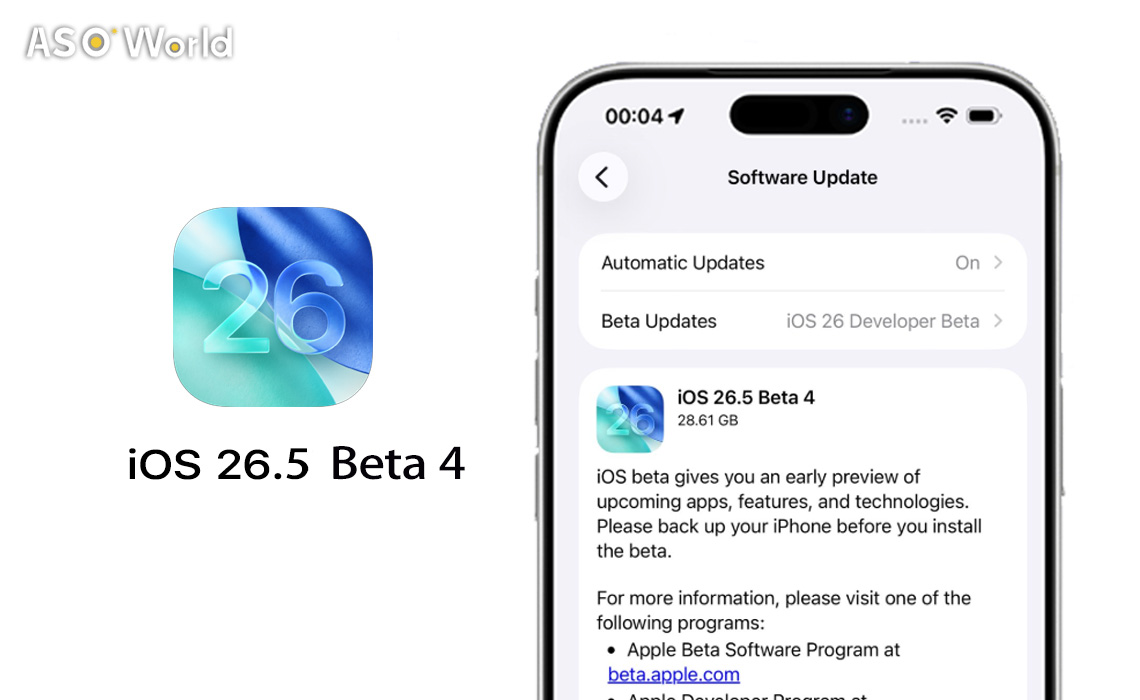

Apple has released iOS 26.5 beta 4 alongside updates for iPadOS, watchOS, tvOS, and visionOS. The update offers a few notable changes, such as the introduction of ads in Apple Maps and new subscription models for app developers. While some small security improvements are also present, users should not expect any significant new features for Siri or other core services in this release.
Key Updates in iOS 26.5 Beta 4
(Image Credits: Foundry)
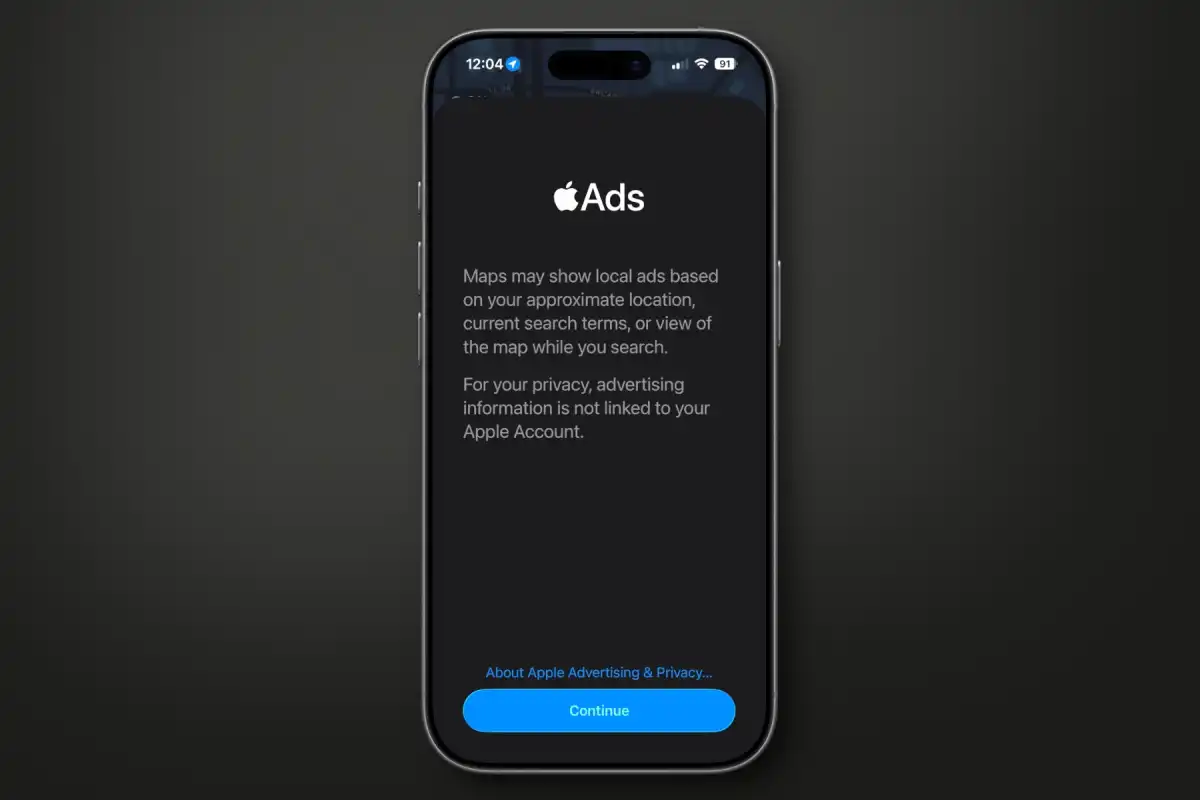
Apple Maps Ads
With iOS 26.5, Apple introduces advertisements in Apple Maps. The beta 2 update included a pop-up card that explains this new feature to users when they first launch the Maps app. While this will provide Apple with new revenue streams, it may affect the user experience, as the introduction of ads often leads to a more cluttered interface. This is part of Apple's broader effort to expand monetization within its apps.
Why it matters: Businesses will now have the chance to pay for visibility, and developers need to consider how these ads may affect app discoverability or local search strategies.
New Subscription Models for Developers
Apple has also introduced new subscription options for developers. Now, developers can offer monthly billing with a 12-month commitment. This new model gives developers more flexibility and helps them generate more revenue by locking in users for longer periods. This feature is expected to be a game-changer for developers looking to optimize their in-app purchase strategies.
Impact: Apps using this model will need to make terms transparent to comply with Apple’s rules, and users should be aware of the year-long commitment even if they pay monthly.
Suggested Places in Maps
In addition to ads, Apple Maps is now adding a "Suggested Places" feature, which will eventually include paid placements. This new feature will recommend locations based on user preferences, and businesses may pay for visibility in this section. While this will likely improve the user experience by making it easier to discover new places, it also marks a further shift toward monetizing Maps.
RCS Encryption Testing
Apple is enabling end-to-end encryption for Rich Communication Services (RCS) messaging between iPhone and Android users. This feature is still being tested, and while it shows Apple's commitment to improving messaging security, it is unclear whether it will make it to the final release of iOS 26.5. Apple is pushing for better cross-platform security, but this feature might be further refined before its official launch.
Performance Comparison
| Beta | Release Date | Key Additions |
|---|---|---|
| Beta 1 | March 30, 2026 | Suggested Places in Maps, RCS E2EE re-introduced, App Store purchase options |
| Beta 2 | April 13, 2026 | Maps ad code deepened, route suggestion improvements, messaging UI refinements |
| Beta 3 | April 20, 2026 | Unlock animation fix, continued Maps/RCS/EU testing, stability improvements |
| Beta 4 | April 28, 2026 | Apple Maps Ads, New Subscription Models, Suggested Places in Maps, RCS Encryption Testing |
While iOS 26.5 beta 4 brings a few new features, its performance improvements are mostly behind the scenes. Users might not notice major speed enhancements or system optimizations, as the update focuses more on the introduction of new features and refinements. The inclusion of ads in Maps might cause slight delays, especially on older devices, but overall, the system remains stable and responsive.
Bug Fixes
This beta doesn't highlight any major bug fixes, but as with most beta versions, Apple has likely patched minor issues that weren't immediately noticeable to users. The emphasis of this update is on the new features rather than fixing bugs, but users may experience better stability and minor improvements in performance as a result.
Release Timing
iOS 26.5 beta 4 is available now for developers and public beta testers. The final version of iOS 26.5 is expected to be released in the coming months, but no specific release date has been confirmed. It's likely that the final version will roll out along with updates for other Apple platforms like macOS, iPadOS, and watchOS.
What This Means for App Developers and Marketers
iOS 26.5 beta 4 may not bring major user-facing features, but it signals key trends for the iOS ecosystem:
- Apple Maps ads open a new channel. Businesses and apps with a local presence may find Maps ads a valuable way to reach users, complementing existing Apple Search Ads strategies.
- Subscription flexibility impacts monetization. The new 12-month commitment model lets developers secure longer-term revenue, but clear communication and compliance with Apple’s rules are essential.
- Suggested Places could influence discoverability. Paid placements in Maps may change how users find businesses, making positioning and strategy more important for developers targeting local discovery.
- RCS encryption testing affects messaging apps. Apps that integrate with messaging services should track encryption developments, as this could influence cross-platform communication and user experience.
Comments
iOS 26.5 beta 4 introduces some interesting features like Apple Maps ads and new subscription models for developers. However, there’s a sense of missed opportunity with the lack of Siri improvements, which many users were hoping for. Apple's focus on monetization within its apps could be a double-edged sword for users, but developers will likely appreciate the added flexibility. The security improvements with RCS encryption are a step in the right direction, though it’s still uncertain when this will be fully rolled out.
Find out everything you need to know about iOS 26 in our Apple News Section
Related Reading for Developers and Marketers 👇
iOS 26.5 Beta 4 at a Glance
- Ads Hit Apple Maps – Businesses can now pay to stand out, but your map may feel a bit busier.
- Flexible Subscriptions – Monthly payments with a 12-month lock-in give developers longer-term revenue power.
- Discover New Spots – “Suggested Places” helps users explore, and paid placements are coming soon.
- Cross-Platform Security – RCS encryption is being tested, hinting at safer chats between iPhone and Android.
- Smooth but Subtle – Behind-the-scenes tweaks improve stability, but Siri fans will have to wait.
💡 Takeaway: iOS 26.5 is less about flashy features, more about monetization, smarter subscriptions, and stronger messaging security. Developers, this is your cue to rethink local discoverability and revenue strategies!

 Follow Us on Facebook