
Apple has released the first public beta of iOS 27 and iPadOS 27, opening the next major iPhone software update to users outside the developer beta program. According to reports from MacRumors and Macworld, the first iOS 27 public beta is identical to the third developer beta, carrying build 24A5380h.
For everyday users, the headline is simple: iOS 27 brings a more capable Siri, broader Apple Intelligence features, performance improvements, refined Liquid Glass visuals, and new safety tools. For developers and app marketers, the beta is more than a preview. It is an early signal of how Apple wants apps to be discovered, automated, searched, and monetized in the next iOS cycle.
iOS 27 Public Beta: Availability and Installation
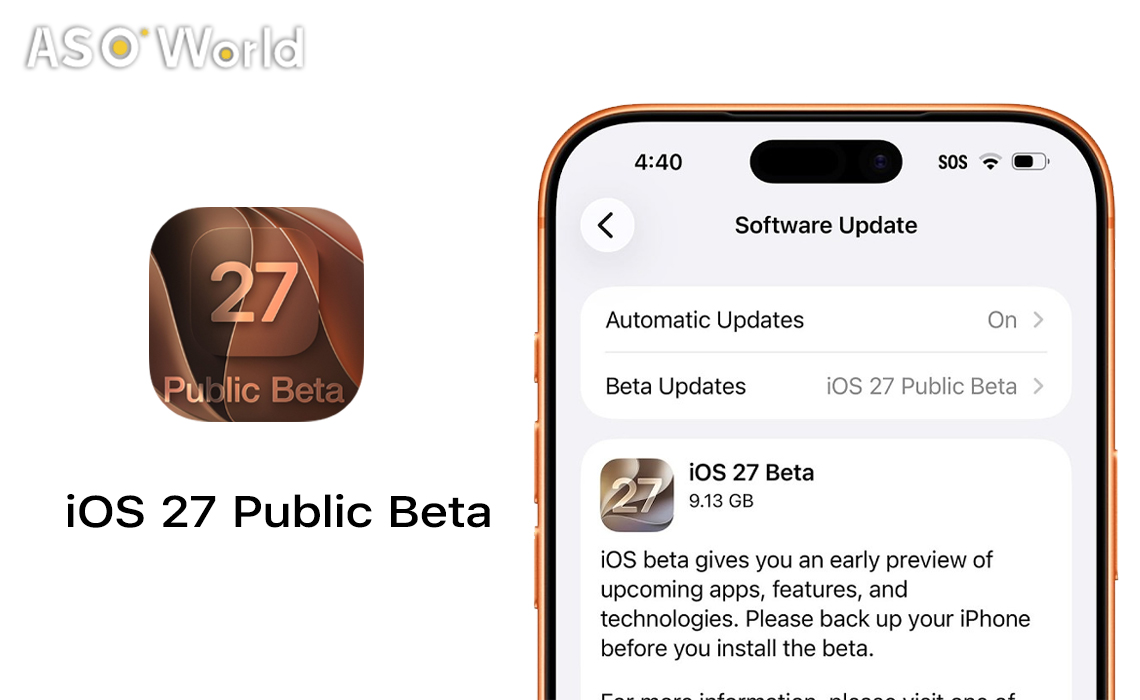
The iOS 27 public beta is available through the Apple Beta Software Program. After signing in and enrolling a compatible device, users can go to Settings > General > Software Update > Beta Updates and select the iOS 27 Public Beta.
Apple continues to position beta software as pre-release software intended for testing and feedback. Developers should avoid relying on a primary device for production-critical workflows, especially when testing health, finance, authentication, camera, Bluetooth, or enterprise apps.
The Big Theme: Siri AI Moves From Voice Assistant to System Layer
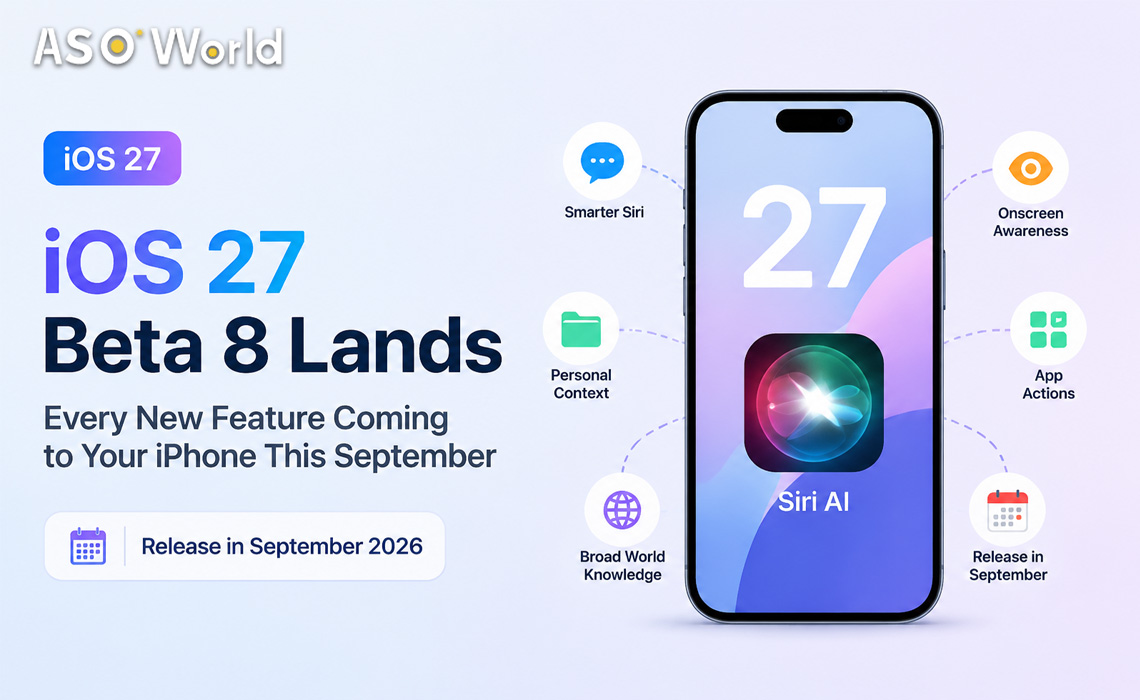
The most important iOS 27 change is Siri AI. Apple describes the new Siri as a more capable assistant designed to understand natural requests, maintain conversations, access personal context, search the web, and take action across apps.
MacRumors notes that Siri AI can help users find messages, emails, photos, files, links, and other personal information by person, time, place, or context. It can also interact with what is visible on screen and assist with actions such as creating reminders, editing contacts, finding passwords, and generating text.
Apple’s own iOS 27 preview says Siri AI is “coming in English later this year,” which means availability may vary by language, region, device model, and beta stage. Most advanced Apple Intelligence features are expected to require newer hardware, with reports pointing to iPhone 15 Pro or later for the full AI feature set.
Why App Developers Should Care About Siri AI
Siri AI is not just a consumer feature. It changes the interface layer between users and apps. If users increasingly ask Siri to “find,” “book,” “create,” “summarize,” “send,” “track,” or “compare,” apps with well-structured actions and entities may become easier to surface in context.
Apple’s iOS & iPadOS 27 beta release notes highlight continued changes around App Intents, Siri, and Shortcuts. Developers should review how their app exposes core user actions, how custom entities appear in Siri, and whether natural-language workflows behave as expected.
- Audit App Intents: Make sure your most valuable app actions are available, predictable, and clearly named.
- Test Siri flows: Try real user commands, including incomplete, conversational, and follow-up requests.
- Check entity display: Apple notes that some custom images for app entities may not always appear in Siri during the beta.
- Review Shortcuts support: Some iOS 27 beta Shortcuts behaviors remain limited or unstable, especially around natural-language edits and model actions.
Visual Intelligence Moves Into the Camera
iOS 27 also makes Visual Intelligence more accessible by placing a Siri mode directly inside the Camera app. This gives users a faster way to ask questions about what they are looking at, search visually, and receive contextual information.
For apps in shopping, travel, food, education, fitness, home services, and local discovery, this is worth watching closely. Visual search can change how users move from real-world objects to digital actions. If Apple continues to expand camera-based intelligence, app experiences that connect images, products, places, and structured content may benefit.
Photos, Safari, and System Apps Get More AI
iOS 27 expands AI features across Apple’s built-in apps. Apple highlights new photo editing tools such as Spatial Reframing and an upgraded Clean Up. Reports also point to improved Safari organization, including automatic tab grouping, bookmark browsing by topic, page-change notifications, and expanded extension capabilities.
These updates matter because system apps often set user expectations for third-party apps. If users become accustomed to AI-assisted editing, automatic organization, conversational search, and lightweight automation in Apple apps, they may expect similar behavior elsewhere.
Performance Improvements Could Affect Retention Expectations
MacRumors reports that iOS 27 feels faster than iOS 26, with quicker animations, faster app launches, improved AirDrop transfers, smoother keyboard loading, better App Library responsiveness, and improved switching between Wi-Fi and cellular.
For developers, this raises the bar. If the operating system feels faster, slow app launches, blocked loading screens, or delayed onboarding flows may stand out more clearly. Teams should use the beta period to test cold starts, login flows, paywalls, in-app purchase screens, search results, and push-notification entry paths.
StoreKit Updates: Subscription Bundles and Commerce Details
Apple’s iOS & iPadOS 27 beta 3 release notes include several StoreKit updates. These include new APIs around offer code redemption, support for transaction ownership and revocation types related to volume purchases, and new product types for subscription Bundles and subscription Suites.
For subscription apps, this is one of the more practical developer-facing changes in the beta. Bundles and suites could give teams more flexible ways to package paid features, cross-sell related products, and communicate value to different user segments.
Important Developer Compatibility Note: Launch Screens
Apple’s release notes also state that apps built with the iOS 27.0 and iPadOS 27.0 SDKs are required to include a launch screen. Apps must include one of the supported launch screen keys in their Info.plist, such as UILaunchStoryboardName, UILaunchScreen, or related keys.
Apple says apps without a launch screen will be rejected when the App Store begins accepting apps built with the 27.0 SDK. Developers should treat this as an early compliance item rather than a last-minute submission fix.
Known Beta Issues Developers Should Watch
The public beta is more stable than some early developer builds, but it remains beta software. Apple’s release notes list known issues across Siri, Safari, Shortcuts, Photos, Foundation Models, Camera, AirPlay, and other frameworks.
- Siri: Some photo, Maps, reminder, contact, and App Intent behaviors may not work as expected.
- Safari: Some intelligence features may appear before required assets are fully downloaded.
- Shortcuts: Certain migrated automations and model actions may fail or require workarounds.
- Photos: AI editing tools such as Spatial Reframing may show visual inconsistencies in some cases.
- Foundation Models: Developers using on-device or private cloud language models should test prompt behavior, tool calling, and simulator support carefully.
What to Test First
For iOS app teams, the first public beta is a good moment to move beyond basic installation checks and begin structured testing. Priority areas include:
- Core app launch and onboarding: Confirm that first-open flows, permissions, login, and account creation work correctly.
- Apple Intelligence surfaces: Test Siri, App Intents, Shortcuts, Spotlight, and contextual actions.
- Subscription and purchase flows: Check StoreKit behavior, offer codes, paywalls, renewal messaging, and restore purchases.
- Visual and UI consistency: Review Liquid Glass interactions, navigation bars, modals, widgets, icons, and launch screens.
- Performance: Compare app launch time, search speed, scrolling, background refresh, and network transitions.
- Marketing assets: Identify whether screenshots, preview videos, and App Store copy will need updates for iOS 27 UI or feature positioning.
Who Can Install iOS 27?
Reports indicate that iOS 27 supports iPhone 11 and later, plus iPhone SE 2 and newer. However, not all iOS 27 features are available on every supported iPhone. Apple Intelligence and Siri AI features are limited to newer Apple Intelligence-capable devices.
Bottom Line
iOS 27 is shaping up to be one of Apple’s most AI-centered iPhone updates yet. The public beta gives developers, marketers, and power users a broader chance to test the next version before its expected fall release.
The biggest shift is not one individual feature. It is the direction: Apple is moving more user behavior toward natural language, visual search, automation, and system-level intelligence. App teams that test early, update their App Intents, prepare StoreKit changes, and monitor new App Store search trends will be better positioned when iOS 27 reaches general release.
FAQ
Is the iOS 27 public beta available now?
Yes. Apple has released the first iOS 27 public beta through the Apple Beta Software Program.
Is the public beta the same as the developer beta?
Reports from Macworld and MacRumors say the first iOS 27 public beta is identical to iOS 27 developer beta 3, build 24A5380h.
Should developers install iOS 27 on a primary iPhone?
It is not recommended. Beta software can include bugs, battery issues, app compatibility problems, and incomplete features.
What is the most important iOS 27 feature for app developers?
Siri AI and App Intents are among the most important areas because they may change how users discover and interact with app functions through natural language.
What should app marketers watch during the iOS 27 beta cycle?
Marketers should monitor iOS 27-related search demand, Apple Intelligence keywords, competitor metadata updates, screenshot changes, and category-specific feature positioning.

 Follow Us on Facebook