
From April 2027, Android apps must hit a Tier 3 adaptive baseline and ship three foldable screenshots before they can publish or update. Here is what the tiers, the game timeline and the new badging actually mean.
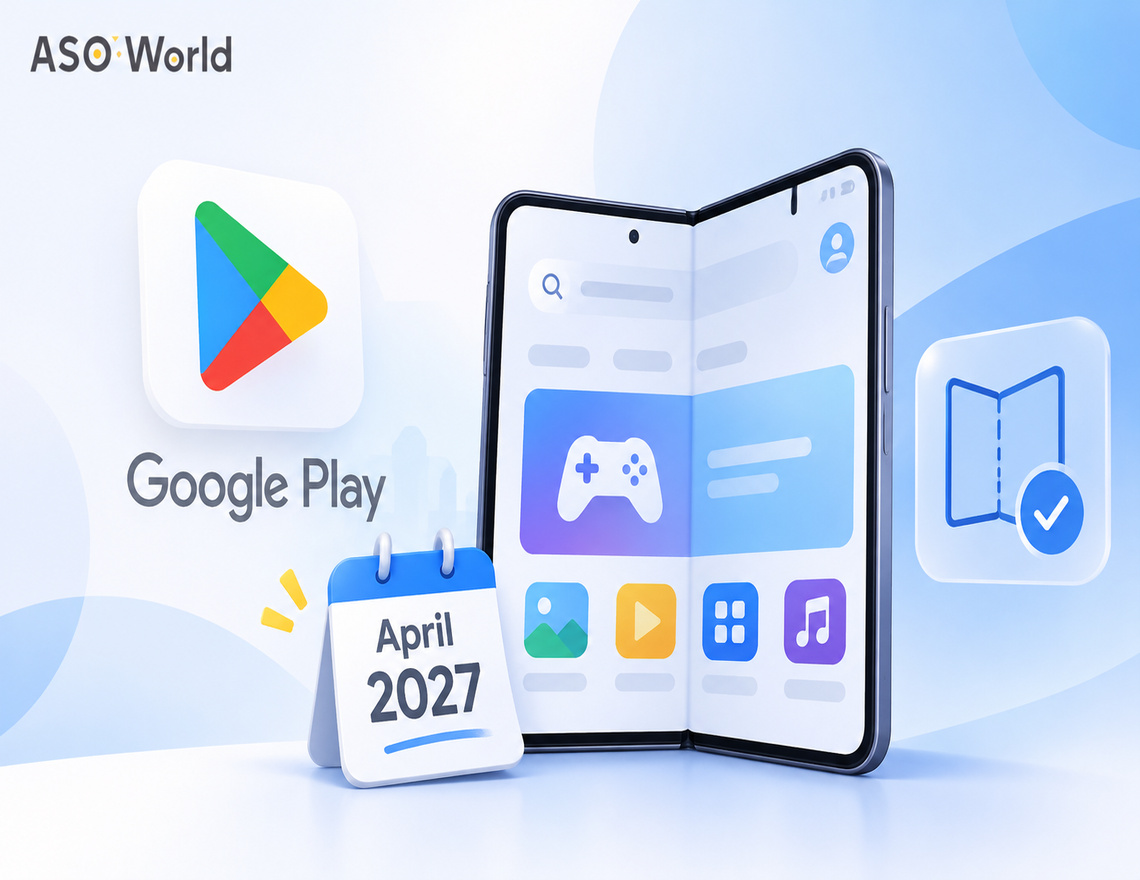
Google will require Android apps to support foldable devices at a baseline level from April 2027, turning an optional design nicety into a condition of doing business on its store. Apps that miss the bar will no longer be able to publish or update on Google Play, and may see reduced visibility on Google Play, the company said on November 18.
The rule applies to standard apps first, with games facing a split timeline that gives developers until August 2027 to meet the same quality floor. It arrives weeks after Apple's first foldable, the iPhone Duo, went on sale with more than 200,000 apps already optimized for it — a reminder that the foldable install base is now large enough for store policy to follow hardware.
What changes in April 2027
The mandatory floor is Tier 3 of Google's adaptive app quality guidelines. In practice it asks for three things. Apps must fill the available display area without letterboxing or compatibility modes. They must preserve state — scroll position, text input, media playback — through rotation, folding and unfolding, and resizing. And they must work in multi-window environments rather than assuming they own the whole screen.
That is a compatibility baseline, not a design brief. An app can pass Tier 3 with a single stretched pane as long as the pane actually fills the display and keeps its state. The more ambitious layouts sit in the two tiers above it, and those are optional.
Enforcement is the sharp end. Apps below the baseline lose eligibility for new publication and updates, and Google says they may also see reduced store visibility. Apps that are never updated remain available for download, so the deadline mostly bites teams that ship regularly — which is most teams that care about rankings.
The screenshot rule is separate and applies to everyone. Developers must upload three foldable screenshots in addition to the two standard phone screenshots already required, and Google Play Console accepts the files now. Unfolded inner-screen captures should be 1:1 or 4:3; folded outer-screen captures use a 10:16 ratio where applicable. Images can come from a physical foldable or the Android Emulator, which lowers the cost of compliance for teams without test hardware.
The deadlines, at a glance
| When | Standard apps | Games |
|---|---|---|
| Now | Tier 1–2 badging applications open; foldable screenshots can be uploaded in Play Console | Same |
| April 2027 | Tier 3 enforced for new apps and updates; three foldable screenshots required | Three foldable screenshots required; Tier 3 quality not yet enforced |
| August 2027 | New and updated apps must target Android 17 (API 37); large-screen orientation and resizability opt-outs removed | Tier 3 large-screen quality enforced |
| Later phases | Framework expands to tablets, Googlebooks and Android XR, with Tier 2 and Tier 1 standards folded in over time | |
Why Google is moving now
The company puts the Android large-screen installed base at more than 580 million devices. That figure includes tablets and Chromebook-class hardware as well as foldables, but the policy is aimed at the category that changes shape mid-session, because that is where broken layouts are most visible and most expensive to ignore.
Apple's launch supplies the timing. Apple went to market with a catalog already optimized for its foldable, and the number — more than 200,000 apps — is the kind of figure that makes a platform team defensive. Google's counter is different in kind: it does not have Apple's curated inventory, so it is imposing a floor that raises the average instead.
Read together, the two approaches describe the same bet from opposite directions. Apple optimized the top of the catalog and let developers follow. Google is setting the bottom and letting merchandising reward the top. The store that enforces a minimum may end up with the more consistent experience; the store with the larger optimized catalog may keep the better demo.
For teams that ship on both platforms, the practical effect is a compressed roadmap. Apple's review process does not impose an equivalent foldable floor, so the same codebase can pass iOS review and still fail Google Play's baseline. The April date therefore sets the schedule for both stores: fix the layout once, then reuse the foldable screenshots and adaptive patterns across listings.
The three tiers, and where the visibility gap opens
Tier 3 is the entry ticket. Tier 2, "Adaptive optimized," looks at responsive multi-pane layouts, penalizes stretched interface elements, and checks basic support for external keyboards, mice, trackpads and styluses. Tier 1, "Adaptive differentiated," covers the features that only make sense on a device that folds: tabletop and book postures, camera continuity, interactive picture-in-picture and multi-instance support for media, reading and multitasking apps.
| Tier | Name | What it evaluates | Store treatment |
|---|---|---|---|
| Tier 3 | Adaptive ready | Full-screen rendering, state preservation, multi-window | Baseline. Required from April 2027 |
| Tier 2 | Adaptive optimized | Responsive multi-pane layouts, no stretched UI, peripheral input | Eligible for badging, editorial spotlighting, enhanced merchandising |
| Tier 1 | Adaptive differentiated | Postures, camera continuity, interactive PiP, multi-instance | Same benefits, higher bar |
Google has not said how much the tiers will affect search ranking or organic discovery, and it may never publish a number. What it has said is that apps meeting Tier 2 or Tier 1 can qualify for "premier store badging, editorial spotlighting and enhanced merchandising." In a store where installs are increasingly decided on the listing page, a badge that signals "this works properly on your device" is a conversion asset, not a decoration.
The screenshot rule is a new ASO surface
The screenshot rule quietly does something new: it makes listing creative device-specific. Until now, screenshots were a generic set attached to the app; from April they will include a dedicated foldable set, which means the listing gains a panel that most apps will fill badly at first.
The opportunity is straightforward. Three extra frames expand the listing at the exact moment a foldable owner is deciding whether the app was built for their device, and that is precisely the audience most likely to abandon an app that looks broken on its screen. Screenshots that show the unfolded layout doing something a phone cannot — a two-pane inbox, a document beside a video call, a game HUD that respects the hinge — answer the question device owners actually ask.
Two practical notes. The two standard phone screenshots remain mandatory, so this is additive, not a replacement. And emulator captures are accepted, which means a team can produce compliant assets before it has a foldable in hand. Developers who upload early will also be first into a listing element that Google says will start appearing in the store over the coming weeks.
Games face a later, more technical bar
Games get the screenshots deadline in April but the quality deadline in August, and the criteria are written for rendering rather than layout. Tier 3 requires titles to render full screen in their supported orientations with unobstructed HUD safe areas, letterbox or pillarbox cleanly inside the engine when rotated to an unsupported orientation, and preserve state and touch alignment across folding, unfolding, rotation and multi-window resizing.
Tier 2 adds high-resolution graphics, proportional HUD scaling, styled visual framing where letterboxing occurs, smooth frame pacing and playability with external controllers, keyboards and mice. Tier 1 targets flagship showcase experiences: sustained 60 frames per second, 120 on supported displays, thermal and battery stability across long unfolded sessions, and dynamic resolution scaling between the inner and cover screens.
The extra five months are not charity. State preservation and touch alignment are harder to retrofit into a game than a list view, and the HUD safe-area rule touches every screen in a title. Studios that treat August as the real deadline will still need to shoot screenshots in April, so the audit has to start well before either date.
Android 17 closes the escape hatch
The August 2027 release train adds a second requirement: new and updated apps must target Android 17, API level 37. More consequentially, Google says the update removes developer opt-outs for orientation and resizability restrictions on large screens.
Those opt-outs are how a lot of apps have avoided the problem. Locking an app to portrait, or declaring it non-resizable, keeps a phone layout intact on a tablet or foldable by refusing to engage with the display at all. Removing the switch converts adaptive layout from a choice into a default, in the same window in which games must clear Tier 3.
Google describes the framework as progressive: Tier 2 and Tier 1 standards will be folded in across foldables, tablets, Googlebooks and Android XR over time. The April 2027 date is the first of several, and teams should read the policy as a direction of travel rather than a single compliance project.
What is still unresolved
How automated is the check — does Google test state preservation in a lab, or rely on declarations and sample builds? What does "reduced visibility" mean in measurable terms, and does it apply to search, browse, or both? Is Tier 3 pass/fail, or is there a score that quietly influences placement? And how quickly will Google's own apps clear a bar it is setting for everyone else? Store policies have a long history of grace periods and selective attention, and a rule that requires testing dozens of configurations is expensive to police. The safe assumption is that the published dates hold at the top of the catalog and slip for the long tail.
What to do before April 2027
- Audit the layout, not the device list. Find every screen that assumes a fixed width or a single pane, then check what happens when the window resizes mid-session.
- Remove orientation and resizability opt-outs early. They disappear in August 2027 anyway, and they hide the exact failures the audit is meant to surface.
- Test state preservation explicitly. Rotate, fold, unfold and resize during text entry and media playback — the three states Google names.
- Shoot the screenshots now. Three foldable frames, 1:1 or 4:3 unfolded and 10:16 folded, on hardware or in the emulator.
- Apply for Tier 2 badging if the layouts support it. Multi-pane and peripheral input are the cheapest routes to a visible store asset.
- Put API 37 on the roadmap. The August deadline collides with games enforcement, and both land in the same release cycle.
Google points developers to Jetpack Compose, Android Studio, the Android CLI and the Android Emulator for building and testing adaptive interfaces. None of it is new; what is new is that the output is now checked at the store door.
What to Watch Next
The first enforcement wave.
Watch which categories lose update eligibility first. Productivity and media apps have the most to gain from adaptive layouts, and the most legacy code to untangle.
Foldable screenshots in live listings.
Google says the images will begin appearing within weeks. Early examples will set the visual convention for everyone else.
Whether badging moves rankings.
If Tier 2 apps start outperforming comparable Tier 3 apps on browse traffic, the tiers become an ASO priority rather than a compliance chore.
The tablet and XR expansion.
The framework is built to grow. The next deadline announcement will say how fast Google intends to raise the floor.
📱 App Marketing Angle
Foldable readiness is about to become visible on the listing page, which makes it a marketing problem before it is an engineering one. The teams that win the April window will treat the three new screenshots as creative inventory — showing a layout only a foldable can produce — and build keyword coverage for foldable and large-screen terms before competitors do. If you are planning that transition, ASO World's app marketing team can audit your listing assets and keyword map ahead of the deadline.
Quick answers
When does Google Play require foldable app support?
From April 2027. New apps and updates must meet Tier 3, "Adaptive ready," or they lose publishing and updating eligibility on Google Play.
How many foldable screenshots do I need?
Three, in addition to the two standard phone screenshots. Unfolded inner-screen images should be 1:1 or 4:3; folded outer-screen images use 10:16.
Do games have the same deadline?
No. Games need foldable screenshots by April 2027, but Tier 3 large-screen quality is enforced from August 2027.
Will my existing app be removed from Google Play?
No. Apps that are not updated stay available for download. The restriction applies to new submissions and updates, and non-compliant apps may also see reduced store visibility.
What happens in August 2027?
New and updated apps must target Android 17 (API level 37), and developer opt-outs for orientation and resizability restrictions on large screens are removed.

 Follow Us on Facebook